 Sheaf
Sheaf
File a document
Approve a document to its suggested requirement in one click, or file it under another requirement, keep it off the list, or reject it.
A document that waits for a decision carries two controls wherever it shows: Approve and ⋯. A decision is recorded the moment you click it. There is no separate save step.
Approve
Approve files the document under the requirement the run suggested, in one click.
Example: a row reads "1 page · Suggested: Pay Stubs — Last 30 Days". You click Approve. The row now reads "1 page · Matched to Pay Stubs — Last 30 Days", its saved copy is written, and the requirement counts in Matched Docs.
If the suggested requirement expects sets, such as one bank statement per account, Approve opens File as… on that requirement instead, so you can pick the set.
The ⋯ menu
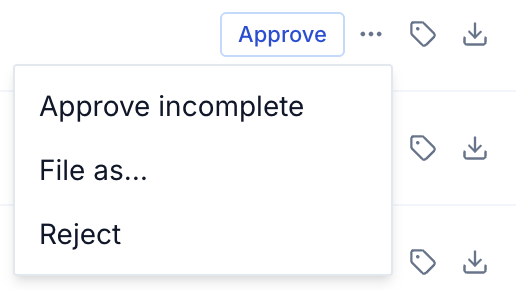
| Choice | What it does | Offered when |
|---|---|---|
| Approve incomplete | Files it, and records that a better copy is needed. Its line ends in "(incomplete)". | The run suggested a requirement. |
| File as… | Files it under any requirement on the list, shown in the list's order. For a requirement that expects sets, you also pick the set. | Always. |
| Not on the list — keep | Keeps it in the case under no requirement. It is saved, and counts toward nothing. | The run matched it to nothing. |
| Reject | Refuses it for the suggested requirement. Nothing is saved, and the requirement does not count as matched. | The run suggested a requirement. |
Once decided, the controls are gone and the second line says what was decided.
Sets
A requirement that expects sets, such as bank statements, needs to know which set each document belongs to: which account. Declare the sets first.
- Open Workfile from the case's ⋮ menu and go to the requirement.
- Choose Add account. The word comes from the list: an account for bank statements, for example. Fill in what identifies it, such as the institution and the last four digits of the account number.
- File each statement with File as…, and pick its set.
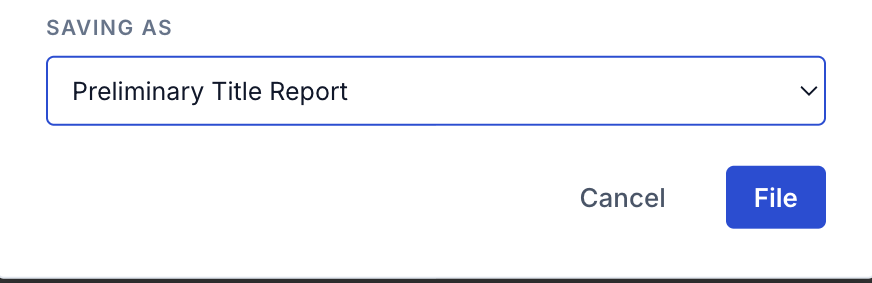
If no set is declared yet, File as… says so, and File stays disabled. Doc Review can also declare a set from what the run read on the statement.
A set requirement counts as matched only when every declared set has a document.
When the document is in edit
A document with an open merge or split suggestion asks before any decision. See documents in edit.
What is recorded
Each decision covers the document's exact pages, and writes one ledger row: document.approved, document.approved_incomplete or document.rejected, with the role of the person who decided. See the ledger.
Over the API, a decision is POST /applications/{id}/document-approvals, with the pages, the requirement and the outcome. The full shape is in the contract.