Prior-year W-2 offered against a current-year requirementRequest the current yearapplied 212×Automatic
Bank statement missing its final summary pageAccept if the balance page is thereapplied 96×Automatic
Unlabelled scan that reads as a title commitmentFile as title, not as an exhibitapplied 341×Automatic
Gift letter arriving without a donor signatureHold pending signatureseen onceLearning
Two appraisals, same property, different datesKeep the later oneseen onceLearning
Always yours to sign3 rules
Any file above the $2M authority lineNamed underwriternever automaticReserved
Exceptions to the flood-zone requirementNamed underwriternever automaticReserved
First file from a new correspondentNamed underwriternever automaticReserved
02 / PROCESS
You teach the system. Just click “Accept” or “Reject”.
Queue
Only uncertain values reach a person.
Sheaf scores every value it reads. Under your confidence threshold, the value goes to the review queue. Over it, the value is filed automatically. A policy can send a whole class to review, such as every loan over $2M.
Record
Every click is saved.
Accept or Reject saves one row: who, when, the value read and its confidence. Reject asks why: wrong value, wrong box, or wrong row or column. A changed mind adds a new row; nothing is deleted.
Learn
Repeat fixes become rules.
Make the same correction twice and Sheaf turns it into a rule. From then on it applies the fix itself and cites the two decisions behind it. Any rule can be switched off.
Test
Accepted values become your test set.
Each accepted value is stored as the right answer for its page. Run any OCR engine or AI model against them and see, per model, the values it got right, the cost and the seconds per page.
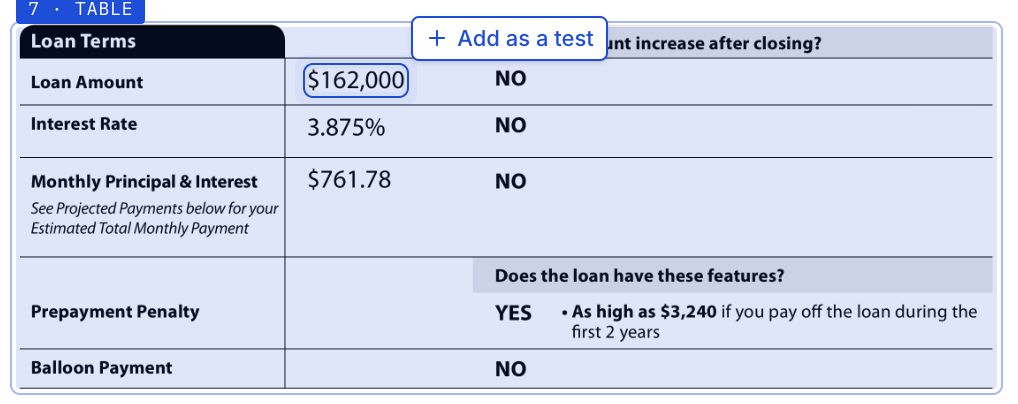
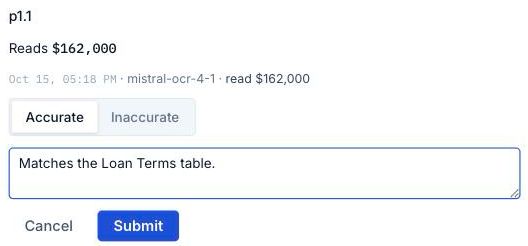
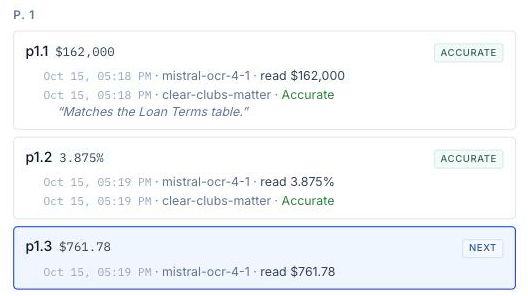
Click any value on the page and add it as a test. Mark it Accurate or Inaccurate, add a comment, and the test joins its set. Every verdict is kept, with who made it and when. How Teach works
Teach / Add a test
Accurate or Inaccurate, with a comment.
The set: each test, what was read, and its verdict.
04 / CUSTOM INTELLIGENCE
Five ways your team builds it.
Intelligence that grows with every decision, built by the people who know your documents. It stays inside your organization, or on your own servers with Whitelabel.
Judge
Accept or reject.
Your reviewers judge what was read, value by value, and add a comment where it helps.
Test
Your own eval sets.
Turn your own documents into test sets. Scoreboards show which model reads them best.
Direct
Custom directions.
One-line pointers for your organization, a project or a document type, such as where a Closing Disclosure prints the loan amount. They go out with every prompt, or replace the standard one.
Ask
Ask the agent.
Tell the built-in agent what to fix or improve, in plain words.
 Sheaf